Compress WebP Online Free: Shrink WebP Images in Seconds
Compress WebP images right in your browser: no upload, no signup, no watermark. Drop your .webp files, pick a quality, and download smaller WebP images in seconds.
Compress your WebP images
Drop your images here
WebP images: one file or hundreds
Files are compressed on this device only. Nothing is uploaded.
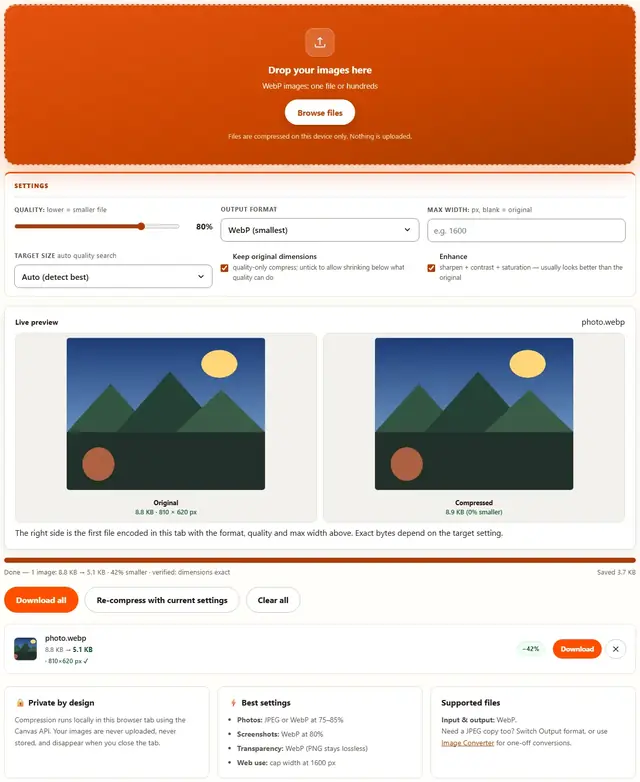
The right side is the first file encoded in this tab with the format, quality and max width above. Exact bytes depend on the target setting.
Compress WebP — illustrated, step by step
How to compress a WebP
Three steps, about ten seconds, no technical skills needed.
Add your WebP files
Drag one or more .webp files onto the dropzone, or click to browse. Batches of any size are supported.
Pick a quality
WebP at 75-85% is the sweet spot for photos: visibly identical, substantially smaller. The slider runs from 10% to 100%.
Download smaller WebPs
Each row shows the exact before and after size. Download one file or grab the whole batch at once.
WebP: the format your browser already has
WebP shipped from Google in 2010 and has been supported by every browser your visitors will actually use for years. It's not a gamble or a future thing — it's the quiet default of the modern web.
The three modes, and when each wins:
- Lossy WebP — photographs. Beats JPEG at the same quality for the same size, regularly 25–35% smaller. This is the mode you'll use 90% of the time.
- Lossless WebP — flat graphics and icons where PNG is typical. Usually smaller than PNG, pixel-perfect.
- Lossy WebP with alpha — transparent photos: logos on photos, watermarks over images. JPEG can't do this at all; PNG is much bigger.
Where WebP still bites: print houses, ancient design tools, stock photo pipelines, email to very old Outlook installs, and literally any workflow involving MS Office's image handling. Keep a JPEG master for those; nobody's printing WebP on a Heidelberg press.
Our recommendation: WebP for everything you publish on the web, JPEG for everything you archive for print or for tools that haven't caught up. This page does both — and when you've converted, the Image to WebP converter is one instruction away.
The honest WebP math
Lossy WebP at equal visual quality lands roughly 25–35% under JPEG — biggest gap on smooth skies and skin, smallest on busy textures. Measurement, not magic. Google's published comparison puts lossless WebP about a quarter under PNG, which is why lossless mode is the quiet hero for pixel-exact work: legal exhibits, sprites, medical images where identical pixels in and out is the requirement.
Decode speed is rarely benchmarked: libwebp is heavily optimized; Chrome, Firefox and Safari decode WebP at parity with — often faster than — JPEG. Encoding is the expensive side — why this tool re-encodes on your device, not a server's "magic" smaller file.
The caveat that still bites in 2026: Safari 13 and older, pre-2019 Office and Windows' legacy built-in viewers cannot open WebP at all. If the recipient is an unknown — a portal, a print shop, a grandma — JPEG at the same width is the safe send.
- Photos at 75–85: visibly identical, ~25–35% under JPEG at equal quality
- Lossless WebP: pixel-exact, typically a quarter under PNG — the archival mode
- Alpha + lossy in one container — JPEG can't do this; PNG pays for it in bytes
- Re-encoding here flattens animated WebP to a still frame — use it for photos, not animation
- Unknown recipient: send JPEG — take the WebP bet only when you control the destination
Why the WebP default: control the destination, and it's the best bytes-per-pixel you can ship.
Your images never leave this device
Everything happens inside your browser tab. There is no upload step, no server processing and no file logging: the tool works even after you go offline. That makes it safe for confidential documents, client work and personal photos. Details in our file-handling policy.
WebP compression: FAQ
Does this upload my WebP files?
No. Compression happens locally in this browser tab using the Canvas API. Files are never uploaded, stored or sent anywhere.
What quality should I use for WebP?
75-85% keeps photos visually identical while shrinking hard. WebP's encoder is more efficient than JPEG's, so the same quality number usually yields a smaller file than JPEG at that number.
Can my old software open the compressed WebP?
Every modern browser, and most current image apps, open WebP. If you need a file for legacy Windows software or an old printer, switch Output format to JPEG before compressing.
Does WebP keep transparency?
Yes: WebP supports alpha channels, and re-encoding here preserves transparent areas. Only JPEG flattens transparency onto white.
Compress WebP for the web: smaller than JPEG, same look
WebP already ships smaller than JPEG at equal visual quality, so compressing one is about matching the file to its job. Screenshots and UI captures land well under 100 KB at 80% quality; photographic images at 1600 px width typically fit comfortably inside an email attachment limit.
Watch the pixel dimensions as well as the quality: WebP files straight from modern phones can be 4000+ pixels wide. Set Max width to the largest size your page or form displays, and the file shrinks twice over: fewer pixels, then fewer bytes per pixel.
Learn more
Size limits, KB targets and form rejections: Compress a Photo to 20KB, 50KB or 100KB for Online Forms. Working the other way (bigger files, not smaller): Image Resizer.