Favicon Generator: One Image, Every Icon Size
Drop your logo — get a complete favicon package: favicon.ico with 16/32/48 frames, apple-touch-icon, Android 192/512, site.webmanifest and paste-in HTML tags. Preview it in a browser tab and a Google result before you download.
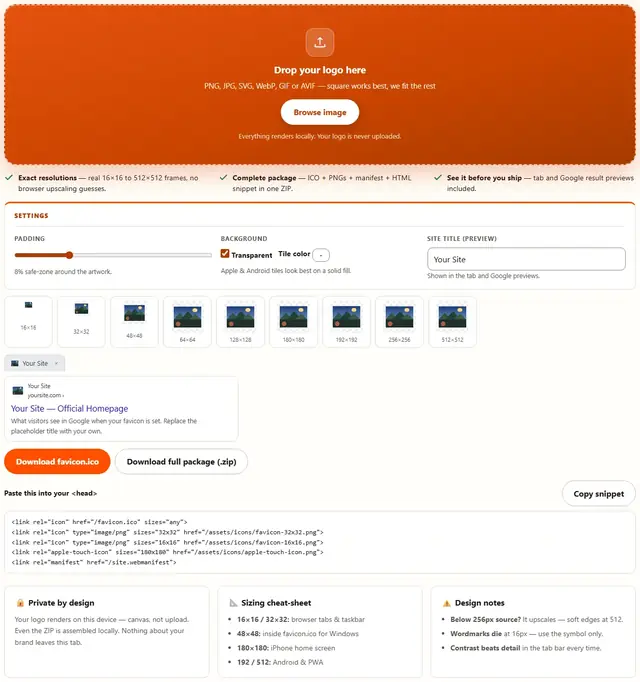
Drop your logo here
PNG, JPG, SVG, WebP, GIF or AVIF — square works best, we fit the rest
Everything renders locally. Your logo is never uploaded.
- Exact resolutions — real 16×16 to 512×512 frames, no browser upscaling guesses.
- Complete package — ICO + PNGs + manifest + HTML snippet in one ZIP.
- See it before you ship — tab and Google result previews included.
8% safe-zone around the artwork.
Apple & Android tiles look best on a solid fill.
Shown in the tab and Google previews.
yoursite.com ›
(generate an icon first)
Favicon Generator — illustrated, step by step
How to make a favicon
Four moves. About thirty seconds.
Drop the image
A square PNG or SVG with real padding works best. Non-square inputs are letterboxed, not stretched.
Set padding and background
8–12% padding keeps artwork off the edges. Solid tile color helps iPhone/Android home screens; transparent keeps PWA icons flexible.
Preview
Check the tab and Google mocks — if 16×16 is unreadable, simplify before shipping.
Download & paste
favicon.ico goes in your site root; the PNGs anywhere. Paste the snippet into <head>. Done.
Why these sizes — and what actually dies at 16 px
Each size exists because a specific surface demands it: 16×16 is the browser tab at 1×; 32×32 covers retina tabs and the Windows taskbar; 48×48 rides inside favicon.ico for Windows shortcuts; 180×180 is Apple's apple-touch-icon for the home screen; 192×192 and 512×512 feed Android and PWA installs, and 512 doubles as the splash-screen source. Skip one and the icon fails silently in exactly one place — harder to notice, just as costly.
At 16×16 every artwork pixel is exactly one screen pixel. Odd-width strokes land half on a pixel and anti-alias into gray smear; a curve that sat cleanly at 512 px becomes stair-step noise; wordmarks turn to ants. This tool downscales with high-quality smoothing — it cannot redraw your logo for you. If the 16 px preview here looks muddy, the fix is a simpler source: one bold shape, high contrast, no text. If you only have time for one fidelity pass, spend it on 16 and 32.
- ICO vs PNG vs SVG — ICO (PNG-in-ICO at 16/32/48) is what browsers auto-request at /favicon.ico; linked PNGs render sharper on retina; SVG is infinitely sharp but can't live in an ICO.
- Transparent vs filled — Apple and Android composite transparency onto black; keep the tile fill for 180/192/512. Tab icons may stay transparent if they survive your browser theme.
- Caching — browsers hold favicon.ico for days. Hard-refresh (Ctrl+Shift+R) or bump a
?v=2query on the link tag after a rebrand. - Honest limit — maskable PWA icons need a designed safe zone (roughly 20% padding); the padding slider approximates it, it doesn't replace purpose-built artwork. Sources under 256 px soften at 512.
Favicon FAQ
What's the difference between favicon.ico and PNG icons?
favicon.ico is the legacy file browsers request automatically — it bundles several resolutions in one file (we embed 16/32/48). PNGs declared with <link> tags scale cleaner on retina screens. Ship both.
Which sizes do I actually need?
16 (tabs), 32 (taskbar), 48 (Windows shortcuts, inside the ICO), 180 (iPhone home screen), 192 + 512 (Android/PWA). That's exactly the package this tool builds.
Why is my icon blurry?
Source too small, or too much detail for 16 pixels. Simplify to one bold shape with high contrast — that's what survives the tab bar.
Where do the files go?
favicon.ico in the site root. PNGs in any folder you like — update the snippet paths if not root-relative. Manifest is only needed for installable web apps.
How long do favicon changes take to show up?
Browsers cache favicon.ico aggressively — sometimes days. Hard-refresh (Ctrl+Shift+R), or bump with a version query (?v=2) in the link tag.
Generate your favicon now
Drop your logo, download the package, paste one snippet. Free forever.
Favicon Generator