PDF to Word Free Online, No Signup
Drop a PDF and get an editable .docx back: the text is extracted page by page, paragraphs are rebuilt, and larger text becomes real Word headings. Everything happens in this tab.
Convert your PDF
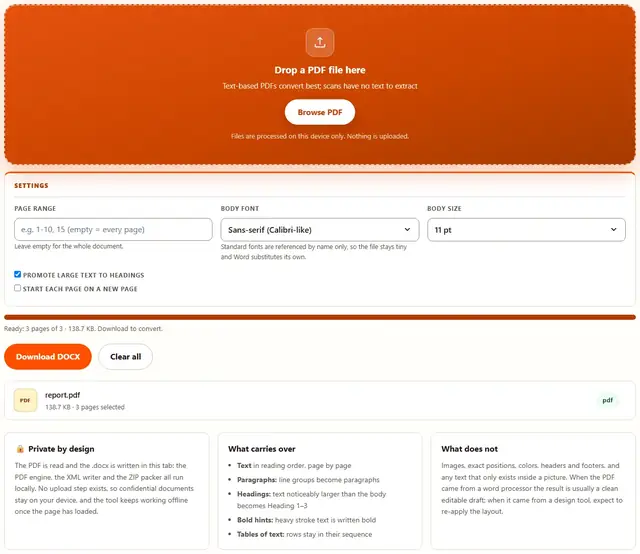
Drop a PDF file here
Text-based PDFs convert best; scans have no text to extract
Files are processed on this device only. Nothing is uploaded.
Leave empty for the whole document.
Standard fonts are referenced by name only, so the file stays tiny and Word substitutes its own.
PDF To Word — illustrated, step by step
How to convert a PDF to Word
Three steps, no accounts, no watermarks on the output.
Drop the PDF
Drop a text-based PDF on the box, or click Browse. The page count appears as soon as it is read.
Choose the pages
Leave the range empty for the whole document, or type a selection like 1-10. Pick the body font and whether large text becomes headings.
Download
The .docx downloads and opens in Word, LibreOffice or Google Docs. Nothing is uploaded anywhere.
Why convert in the browser?
Because PDFs to be edited are usually the sensitive ones: contracts still under negotiation, salary reviews, medical letters. Converting locally means the file never touches a server, there is no account and no queue, and the document is ready the moment the pages are read. Details are in our file-handling policy.
Troubleshooting
Is my PDF uploaded when I convert it?
No. The PDF is parsed in this tab: text items are extracted with a local PDF engine and written into the XML files that make up a .docx, then zipped here. There is no upload endpoint, so reports and contracts stay on your device.
Will the Word file look exactly like the PDF?
The text, its reading order, paragraph breaks and approximate heading sizes are carried over. Layout that a text document cannot express — headers and footers, page numbers inside the flow, multi-column magazines, text inside images — is not. This converter rebuilds the writing, not the typesetting.
Why is a scanned PDF coming out empty?
Because a scan is a picture of a page, not text. If the PDF has no text layer, there is nothing to extract; run it through an OCR tool first, then convert the recognized text. The status message tells you when a page had no text at all.
Can I edit the result in Word, Pages or Google Docs?
Yes. The output is a standard .docx built with the format's own XML, so Word, LibreOffice, Pages and Google Docs all open it as an ordinary editable document. Headings appear as headings, so the navigation pane works too.
How large a PDF can it handle?
As large as your device's memory allows, since everything runs locally. A hundred-page report converts in a few seconds; very large files take longer because every page's text is read before the document is assembled.
Can I choose which pages to convert?
Yes. The page range field takes the same forms as elsewhere on this site: 1-5, 8, 11-13. Only those pages are written into the Word file, which keeps long documents quick and small.
What conversion can and cannot recover
A PDF is a description of a page, not a description of a document. It records where every glyph was drawn, in which font, at which size — but not which sentences belong together, which line is a heading, or where a paragraph ends and the next begins. Converting back to Word means inferring all of that: text items are grouped into lines by their vertical position, lines into paragraphs by the gaps between them, and the largest sizes are promoted to headings so the navigation pane makes sense again.
This is why the quality of the source decides everything. A PDF exported from a word processor keeps a clean single-column flow that reconstructs almost perfectly. A two-column newsletter, a form with labels scattered around the page, or a magazine spread will come out as running text in roughly the right order — readable and editable, but no longer typeset. Both results are useful; they are just different kinds of useful.
| Source PDF | Expected result |
|---|---|
| Exported from Word, Pages, LibreOffice | Clean draft, headings intact |
| Report or invoice, single column | Editable text, tables as rows |
| Magazine, newsletter, multi-column | Reading order, layout rebuilt by hand |
| Scan or photo of a page | No text — OCR is needed first |
Edit, then finish the document
Once the text is editable the rest of this site picks up where the conversion left off: polish the draft in Word, export it as PDF, then check the result with PDF to Text or shrink it with the PDF Compressor before sending.
To move a Word document the other way, Word to PDF renders headings, lists, tables and images onto A4 or Letter pages — the two tools together give you a round trip that keeps the writing intact in both directions.
Need the reverse conversion?
Word to PDF renders a .docx back onto clean A4 or Letter pages: same privacy, same speed.
Open Word to PDF