PowerPoint to PDF Free: Turn .pptx Slides into a PDF
Drop a PowerPoint and get a clean PDF back: every slide becomes one page, with its text, images and layout carried over. Runs entirely in this tab — no upload, no signup, no watermark.
Convert your PowerPoint
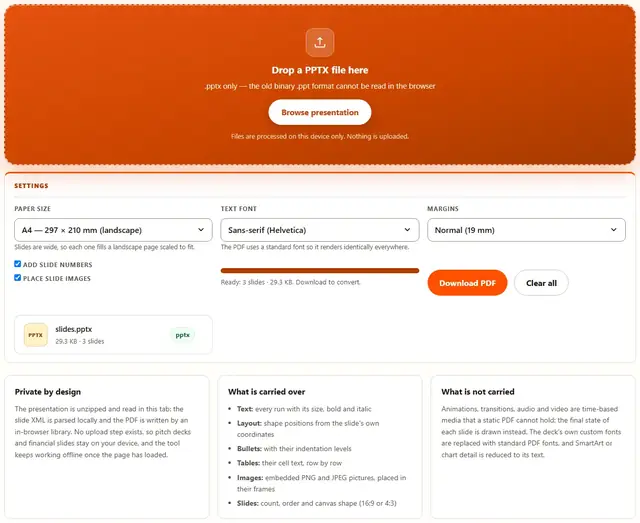
Drop a PPTX file here
.pptx only — the old binary .ppt format cannot be read in the browser
Files are processed on this device only. Nothing is uploaded.
Slides are wide, so each one fills a landscape page scaled to fit.
The PDF uses a standard font so it renders identically everywhere.
Powerpoint To PDF — illustrated, step by step
How to convert PowerPoint to PDF
Three steps, no accounts, no watermarks on the output.
Drop the presentation
Drop a .pptx file on the box, or click Browse. The slide count appears as soon as the file has been unpacked.
Pick paper and font
A4 or Letter in landscape, the text font, the margins, and whether slide numbers are stamped at the bottom.
Download
The PDF downloads with its exact file weight shown. Nothing is uploaded anywhere.
Why convert in the browser?
Presentation files are usually works in progress: unreleased numbers, client names, salaries. Converting locally means the file never touches a server, there is no account and no queue, and the PDF is ready the moment the slides load. Details are in our file-handling policy.
Troubleshooting
Is my presentation uploaded when I convert it?
No. A .pptx is a ZIP of XML files; this page unzips it, reads each slide's XML and re-renders the slides to PDF pages with an in-browser PDF library. There is no upload endpoint, so decks, pitches and financial slides stay on your device.
Will the PDF look exactly like in PowerPoint?
Very close, not identical. Text, shape positions, bullets, table text and embedded images are re-drawn at their slide coordinates. Fonts are swapped for standard PDF fonts the presentation does not embed, and theme colors from the slide master are not carried: the result is clean black text on white.
What about animations, transitions and video?
Not carried: they are time-based media, and a PDF is a static page. Each slide is drawn in its final state, which is what people usually need when they send slides as a document.
Why is each slide one landscape page?
Slides are screens and PDFs are paper: mapping one slide to one landscape page, scaled to fit, preserves the 16:9 or 4:3 shape exactly. Nothing is cropped, and print shops can print the PDF directly.
Can it convert the old .ppt format?
No. The 1997-era .ppt is a binary format with no structured text to read in a browser. Open the file in PowerPoint, Keynote or Google Slides and export as .pptx, then convert that.
The presentation is password protected
Protected files store their slide content encrypted, so the text cannot be read without the password. Open the file, remove protection, save, and convert the new copy.
What a PPTX file actually is
A .pptx file is a small archive: a ZIP containing one XML document per slide, plus the media files those slides reference. That is why this converter can run entirely in your browser — unzipping is trivial, slide XML is plain text, and drawing the result into a PDF needs no server. The older .ppt format is a single opaque binary, which is exactly why it cannot be handled the same way.
The conversion is a re-layout. Each slide's shapes are read with their coordinates in EMU (the unit PowerPoint stores positions in), scaled to the page, and drawn with standard PDF fonts. Because those fonts ship with every PDF reader, the result opens identically on a phone, an old office PC and a print shop's machine — usually the whole point of converting slides to PDF.
| PowerPoint feature | In the PDF |
|---|---|
| Title and body text | Same text at the same slide position |
| Bullets and levels | Bullet marks with indentation |
| Tables | Cell text, row by row |
| PNG and JPEG images | Placed inside their frames, aspect kept |
| Animations and video | Final slide state only |
Finish the job after converting
Once the PDF exists it joins every other tool on this site: shrink it with the PDF Compressor before emailing it, pull out the pages you need with the PDF Splitter, or render pages back to images with PDF to Image for a slide deck screenshot.
The reverse direction works too: PDF to PowerPoint rebuilds an editable deck from a text-based PDF, and every step in the chain happens in the same tab without the file ever leaving your device.
Need the reverse conversion?
PDF to PowerPoint rebuilds an editable .pptx from any text-based PDF: same privacy, same speed.
Open PDF to PowerPoint