Signature PNG Maker: Draw, Type or Upload
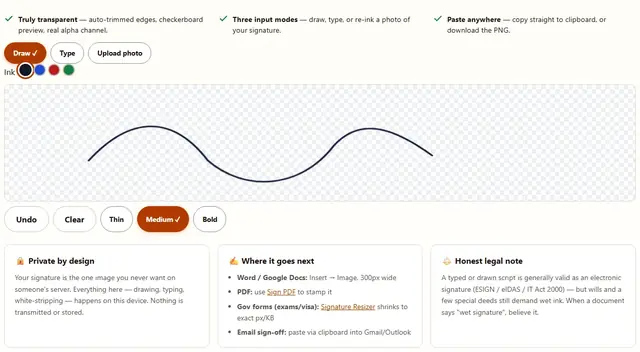
Three ways to a transparent signature PNG. Draw it with your mouse or finger, type it in a handwriting font, or upload a photo of your wet signature and we'll strip the white away. Nothing leaves your device.
- Truly transparent — auto-trimmed edges, checkerboard preview, real alpha channel.
- Three input modes — draw, type, or re-ink a photo of your signature.
- Paste anywhere — copy straight to clipboard, or download the PNG.
Drop a photo of your signature
White paper, good light, phone camera is fine
The white background is removed locally — your photo never uploads.
Signature PNG Maker — illustrated, step by step
How to make your signature PNG
Draw, paste, done — about twenty seconds.
Pick a mode
Draw with mouse/finger (finger = same smooth stroke as a stylus on tablets), type in a script font, or upload a photo of your wet signature.
Clean it up
Upload mode strips the white background with a tolerance slider. The preview sits on a transparency checkerboard, so you see exactly what you'll get.
Use it
Copy straight to clipboard or download the PNG. Insert at 15–20% width in Word, and it just looks like you signed it.
Transparent does the heavy lifting
The whole point of this tool is the alpha channel. Your signature pasted into Word, Google Docs or a PDF floats on its own pixels — no white rectangle on the letterhead, no clashes, no "pasted onto paper" tell. JPEG cannot carry alpha, so we export PNG only. The checkerboard behind the preview is a real transparency check, not a white approximation. Export widths are 300, 600 or 1200 px; 600 px ≈ 6.3 in at 96 DPI — insert at 15–20% width for a natural result.
Anti-aliasing is doing quiet work here. Strokes rendered at 2.1–5.2 px are resampled at export: thin strokes anti-alias into soft gray edge pixels, which avoids the staircase jaggies of a hard trace — but they also nearly vanish at 300 px export or on busy backgrounds. Prefer Medium or Bold if your handwriting is light, and judge the result at final insertion size, not just in the preview canvas. Downsampling never forgives — a stroke that reads bold at 900 px thins out fast at 300.
- Why transparent — the signature layers over any background: colored forms, letterhead, scanned contracts, photos of documents.
- PNG stays lossless — pen strokes and thin lines survive repeated saves and copies; every JPEG hop would not.
- Handwriting fonts — typed mode renders a shared typeface; legal as a simple e-signature, but anyone can type it.
- Print reality — PNG has no intrinsic DPI; for a 300 DPI print shop, 1200 px covers only about 4 in. Beyond that, ask for a vector.
- Legal honesty — under US ESIGN/UETA, EU eIDAS and India's IT Act 2000, intent plus consent usually suffices — but wills, some deeds and certain court filings still demand wet ink. Jurisdiction overrides intuition; this is not legal advice.
Signature PNG FAQ
Is a typed or drawn digital signature legally valid?
Generally yes, under the US ESIGN Act, EU eIDAS and India's IT Act 2000 — unless a specific law or the contract demands wet ink (wills, some deeds, court filings in some places). This tool makes the image; legality depends on the document and your jurisdiction.
Why does the background need to be transparent?
A white box behind a signature looks broken on colored documents and photos. Transparent PNGs layer cleanly anywhere — Word, Google Docs, PDF, email.
My photo has a white background — will it come off?
Yes, with the tolerance slider. Sign on plain white paper in decent light and it works in one pass. Colored or shadowed paper defeats it — reshoot on white.
Which ink color should I use?
Black or dark blue for print; blue signals a genuine wet signature in many cultures. Green/red are for the rare preference — fine on white paper, awkward on forms.
How big should the exported signature be?
600px wide is ~6.3in at 96 DPI — insert at 15–20% in documents. For exam/visa forms with strict px caps, use Signature Resizer after downloading.
Read more
If a portal keeps rejecting your signature scan, we wrote about why: Why your scanned signature gets rejected. And once you have the PNG, Sign PDF stamps it onto any PDF page exactly where you want it.